


 Ban & Monetization Policy
 MyLiveRoom Rewards Program Rules & Eligibility
How to Choose the Right Gaming Desk for Your Setup
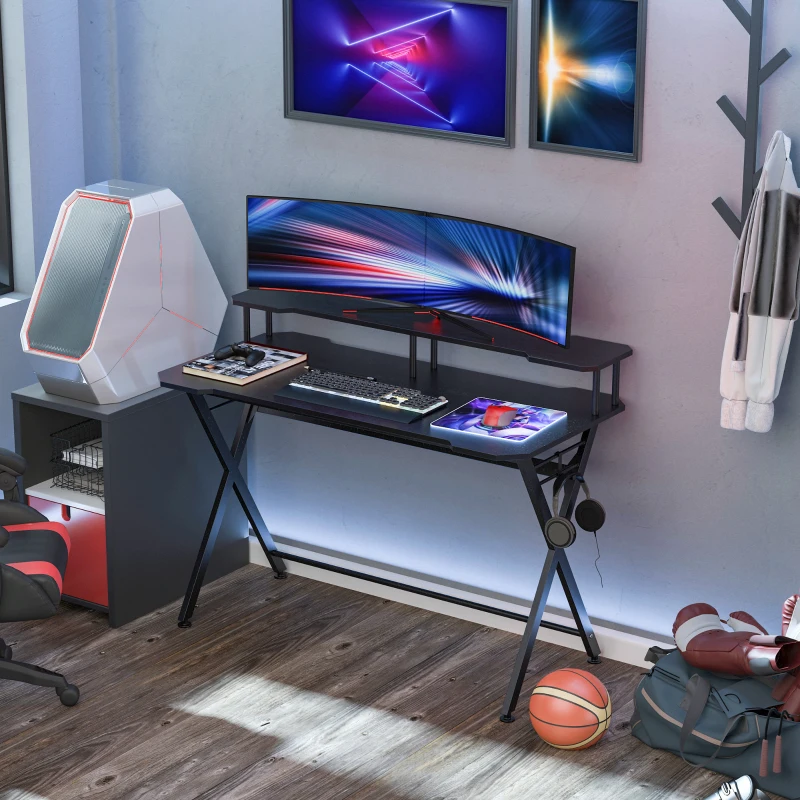
A gaming desk is more than just a surface for your monitor and keyboard, it shapes how comfortable, organised, and efficient your entire setup feels. The wrong choice can lead to cramped space, poor posture, and constant clutter, while the right one enhances both performance and enjoyment. Choosing wisely comes down to understanding your space, your gear, and how you actually play.
Start With Your Setup Requirements
Before looking at styles or features, focus on what your setup demands.
-
Single monitor setup: A compact desk can work well
-
Dual or triple monitors: Requires wider surfaces for proper spacing
-
Console + PC combo: Needs extra room for accessories and storage
-
Streaming setup: Consider space for mic arms, lighting, and cameras
When comparing different gaming desks, this step helps narrow your options quickly, ensuring you choose a design that actually supports your setup instead of limiting it.
The goal is to avoid overcrowding. Your desk should support your equipment without forcing everything too close together.
Choose the Right Desk Size
Desk size directly affects comfort and usability. Many people underestimate how much space they actually need.
-
Width: At least 100–120 cm for basic setups, 140 cm+ for multi-monitor
-
Depth: 60–80 cm helps maintain a comfortable viewing distance
-
Height: Standard desks (around 70–75 cm) suit most users
If your room is limited, measure carefully and leave enough clearance for your chair and movement.
Consider Desk Shape and Layout
The shape of the desk can change how your space feels and functions.
-
Straight desks: Simple and versatile for most rooms
-
L-shaped desks: Ideal for corner setups and multitasking
-
Corner desks: Maximise small spaces without wasting room
Larger setups benefit from L-shaped designs, especially if you switch between gaming, work, and content creation.
Focus on Build Quality and Materials
Durability matters, especially for long-term use. A weak desk can wobble, sag, or wear out quickly.
-
MDF or engineered wood: Affordable and common
-
Solid wood: More durable and premium feel
-
Metal frames: Provide stability and long-term strength
A sturdy frame is essential, especially if your setup includes multiple monitors or heavier equipment.
Cable Management Makes a Big Difference
Messy cables can ruin even the best-looking setup. Good cable management improves both aesthetics and usability.
-
Built-in cable trays or holes
-
Under-desk cable routing systems
-
Space for power strips
Clean cable management also makes maintenance easier and reduces clutter during daily use.
Ergonomics Should Not Be Ignored
Comfort plays a major role in long gaming sessions. Poor ergonomics can lead to fatigue and strain.
-
Ensure the desk height matches your chair
-
Keep your monitor at eye level
-
Maintain proper wrist positioning for keyboard and mouse
Some gaming desks include adjustable height options, which can significantly improve posture.
Look for Extra Features That Add Value
Modern gaming desks often include features that enhance convenience and functionality.
-
Built-in RGB lighting for visual appeal
-
Headphone hooks and cup holders for organisation
-
Monitor stands or risers for better viewing angles
-
Keyboard trays for improved ergonomics
While not essential, these features can improve your overall experience if they match your needs.
Match the Desk With Your Room Style
Your desk should fit naturally into your space, not feel out of place.
-
Minimal setups: Clean, simple designs
-
Gaming-focused rooms: LED accents and bold finishes
-
Multi-use rooms: Neutral styles that blend with décor
A good balance between style and function ensures your setup feels complete.
Think About Long-Term Use
A gaming desk is an investment, so it should grow with your setup.
-
Will you upgrade to more monitors later?
-
Do you plan to add accessories or streaming gear?
-
Is the desk strong enough for future upgrades?
Choosing a slightly larger or more durable desk now can save you from replacing it later.
Common Mistakes to Avoid
Avoiding these mistakes can save both time and money:
-
Choosing a desk that’s too small
-
Ignoring weight capacity
-
Overlooking cable management
-
Prioritising looks over comfort
-
Not measuring available space properly
The right gaming desk supports your setup, improves comfort, and keeps everything organised without effort. By focusing on size, structure, ergonomics, and features, it becomes much easier to find a desk that fits both your space and your routine. A well-chosen desk doesn’t just hold your gear, it enhances how you use it every day.

 English
 French
 Spanish
 Portuguese
 Deutsch
 Turkish
 Dutch
Dutch
 Italiano
 Russian
 Romaian
 Portuguese (Brazil)
 Greek
Greek
