


 Ban & Monetization Policy
 MyLiveRoom Rewards Program Rules & Eligibility
EPFO Login: Complete Guide to EPFO Portal Login, UAN Login, Passbook and Online PF Services
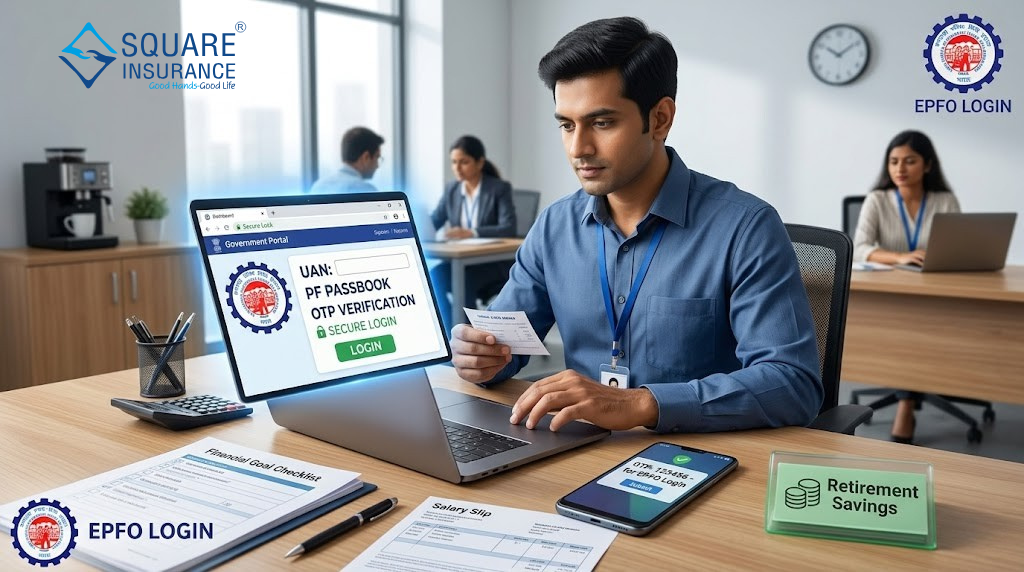
EPFO login is the online process of accessing your Provident Fund account through the EPFO member portal, passbook portal, employer portal, or UMANG app. Users can complete EPFO portal login using their UAN, password, captcha, and OTP to check PF balance, update KYC, file claims, and manage PF services.
Introduction
EPFO login, epfo portal login, and epfo login portal are common searches by Indian salaried employees who want to manage their Provident Fund account online. Whether you want to check your PF balance, download your passbook, activate your UAN, update KYC, file a claim, transfer PF from an old employer, or track claim status, understanding the correct login process is very important.
If you are using epfo login for the first time, you should know that EPFO has different login options for different users and services. Employees generally use the UAN member portal or passbook portal, employers use the employer login, and mobile users can access EPFO services through the UMANG app. Choosing the right portal helps you avoid confusion, login errors, and unnecessary delays.
For a salaried employee, EPFO is not just a monthly deduction shown on the salary slip. It is a long-term savings and retirement planning system. Your PF balance, pension contribution, service history, KYC details, and nomination information all play an important role in your financial security. That is why learning how to use the EPFO login portal properly can help you stay informed and in control of your money.
Square Insurance explains finance, insurance, and protection-related topics in a simple way because financial planning is not limited to buying an insurance policy. It also includes savings, retirement planning, emergency preparation, documentation, and awareness of government-backed financial systems. EPFO is one such important system for working Indians, especially those who want to secure their future with disciplined savings.
What Is EPFO?
EPFO stands for Employees’ Provident Fund Organisation. It is a government-backed body under the Ministry of Labour and Employment, Government of India. It manages provident fund, pension, and insurance-linked benefits for eligible employees in India. When an employee works in an eligible organization, a part of the employee’s salary is contributed toward the EPF account. The employer also contributes as per applicable rules.
The main purpose of EPFO is to help employees build long-term savings for retirement. Since the contribution is deducted regularly from salary, it creates disciplined savings over time. For many salaried employees, EPF becomes one of the most reliable financial assets because it grows gradually during their working years.
EPFO mainly manages three important employee benefit schemes. The first is the Employees’ Provident Fund, which works as a retirement savings account. The second is the Employees’ Pension Scheme, which provides pension-related benefits subject to eligibility. The third is the Employees’ Deposit Linked Insurance Scheme, which provides insurance-linked protection to eligible members.
For employees, EPFO is useful because it gives access to important services such as PF balance checking, passbook download, PF transfer, online claim filing, KYC update, service history, and nomination management. Earlier, many of these tasks required paperwork or HR support. Today, the epfo portal login makes many services available online.
EPFO is especially important for employees who change jobs. In the past, many employees had multiple PF accounts with different employers and did not know how to manage them. With UAN, different member IDs can be connected under one identity, making PF tracking and transfer easier.
What Is EPFO Login?
EPFO login means signing in to an EPFO online platform to access PF-related services. For employees, this usually means logging in through the UAN member portal or passbook portal. UAN stands for Universal Account Number. It is a unique number given to EPF members and generally remains the same even if the employee changes jobs.
With EPFO login, employees can manage several important PF-related tasks. They can check their personal details, update KYC, view service history, file online claims, transfer PF from a previous employer to a current employer, download UAN card, check claim status, and manage e-nomination.
The epfo portal login process is simple when your UAN is active, your mobile number is linked, and your KYC details are correct. However, many users face issues because they enter the wrong password, use an inactive UAN, type the captcha incorrectly, use an old mobile number, or try to access the wrong portal.
For example, if you only want to check your PF balance, the passbook portal may be more suitable. If you want to update KYC or file a claim, the member portal is more relevant. If you are an employer handling company compliance, the employer portal is the correct option.
In simple words, EPFO login is your digital gateway to PF services. Instead of depending on your HR team for every small update, you can directly check and manage many PF-related details online.
Different Types of EPFO Portal Login
Many people search for EPFO login and assume there is only one login page. In reality, EPFO has different login options for different users and services. Understanding these types helps you choose the right login page.
EPFO Member Login
EPFO member login is mainly for employees. It is used to access UAN-based services. Through this login, employees can update KYC, check service history, file claims, transfer PF, download UAN card, and manage e-nomination.
If you are a salaried employee, this is one of the most important EPFO login options for you. It gives you control over your personal PF account and reduces dependency on your employer for basic information.
EPFO Employer Login
EPFO employer login is for companies, establishments, and authorized employer representatives. Employers use this login for employee registration, monthly contribution filing, ECR submission, payment, and compliance-related work.
Employees do not need employer login credentials unless they are officially responsible for handling PF compliance for their organization. If you are only trying to check your personal PF balance, employer login is not the right option.
EPFO Passbook Login
EPFO passbook login is used to check PF balance and contribution history. It shows employee contribution, employer contribution, pension contribution, interest entries, withdrawals, and closing balance.
This is one of the most useful login options for employees because it helps them confirm whether monthly PF contributions are being deposited correctly. It is also helpful during job changes, claim filing, and annual financial planning.
UMANG EPFO Login
UMANG is a mobile app that provides access to many government services, including EPFO services. Through UMANG EPFO login, users can check PF balance, track claim status, access UAN services, raise claims, apply for UAN-related services, and use other EPFO features from a mobile phone.
For users who prefer mobile access, UMANG is convenient. It is especially helpful when you want to check basic EPFO details without opening a desktop browser.
How to Use EPFO Login Portal Step-by-Step
Using the EPFO login portal is not difficult if you know the correct process. Before starting, keep your UAN, password, registered mobile number, and Aadhaar-linked details ready.
Step 1: Decide Which EPFO Service You Need
The first step is to identify your purpose. If you want to update KYC, file a claim, transfer PF, or check service history, use the EPFO member portal. If you want to check PF balance and contribution history, use the passbook portal. If you are an employer, use the employer login. If you want mobile access, use UMANG.
Many users face problems because they try to login on the wrong portal. Selecting the right portal saves time and avoids confusion.
Step 2: Enter Your UAN and Password
For member login and passbook login, you usually need to enter your UAN and password. Make sure you type your UAN correctly. If you copy and paste it, check that there are no extra spaces.
Passwords are case-sensitive. This means capital letters, small letters, numbers, and special characters must be entered exactly as created. If you recently reset your password, use the latest one.
Step 3: Enter Captcha Carefully
Most EPFO login pages ask you to enter a captcha. Type it carefully. If the captcha is unclear, refresh it instead of guessing. Repeated wrong captcha entries can waste time and create frustration.
Step 4: Complete OTP Verification If Required
Some EPFO services may require OTP verification. The OTP is usually sent to your registered mobile number. Make sure your mobile number is active and available with you.
If your mobile number is not linked or is no longer active, you may face problems while resetting passwords, updating details, or completing verification.
Step 5: Select the Required Service
After successful login, choose the service you need. For example, you can check service history, update KYC, file an online claim, transfer PF, download passbook, or manage nomination details.
Step 6: Download or Save Important Records
If you are checking your passbook, claim status, or service history, it is useful to download or save important records for future reference. This can help during job changes, loan applications, financial planning, or claim follow-ups.
Step 7: Logout Safely
Always logout after completing your work. This is especially important if you are using a shared computer, office laptop, cyber café system, or someone else’s mobile device.
How to Activate UAN for EPFO Login
UAN activation is an important step before using many EPFO online services. If your UAN is not activated, you may not be able to login properly or access member services.
To activate UAN, you generally need your UAN, Aadhaar details, name, date of birth, mobile number, captcha, and OTP verification. Your details should match EPFO and Aadhaar records. If there is a mismatch in name, date of birth, gender, or mobile number, activation may fail.
For example, suppose an employee named Rahul joins his first job in Jodhpur. His employer creates his PF account and provides him with a UAN. After a few months, Rahul wants to check his PF balance. But when he tries to login, he realizes that his UAN is not activated. Once he activates his UAN and creates a password, he can use the EPFO login portal to access his PF details online.
If UAN activation fails, first check whether your Aadhaar-linked mobile number is active. Then confirm that your name, date of birth, and gender are correct in your employer’s PF records. If there is a mismatch, contact your HR department for correction.
UAN activation is also important because it connects your PF identity across jobs. When you change employers, your new PF member ID can be linked with the same UAN. This makes PF tracking and transfer easier.
Important Things to Check Before UAN Activation
Before activating your UAN, make sure your personal details are correct. Your name should match your Aadhaar record, your date of birth should be accurate, and your mobile number should be active. If any detail is wrong, it is better to correct it early instead of waiting until claim filing.
Many employees ignore UAN activation for years and only try to activate it when they need money urgently. This can create delays. It is better to activate your UAN soon after joining your first job.
EPFO Member Login vs EPFO Employer Login
EPFO member login and employer login are different, but many users confuse them because both are part of the EPFO digital system.
EPFO member login is for employees. It helps individual members manage their PF account. Through member login, employees can update KYC, check service history, file claims, transfer PF, manage e-nomination, and access UAN-related services.
EPFO employer login is for companies and establishments. Employers use it for employee registration, monthly contribution filing, ECR submission, payment, and compliance work. It is not meant for checking an employee’s personal PF balance.
The main difference is purpose. Member login is personal and employee-focused. Employer login is organization-focused and compliance-related. If you are a salaried employee who wants to manage your PF account, you should use member login or passbook login, not employer login.
For example, if Priya wants to download her PF passbook, she should not search for employer login. She should use the passbook login or member-related services. But if her company’s HR team wants to file monthly PF contributions, they need employer login.
EPFO Passbook Login
EPFO passbook login is one of the most searched EPFO services because employees want to know how much PF balance they have accumulated. The passbook gives a clear view of monthly contributions and account activity.
If you are using the epfo login portal to manage your PF account, checking your passbook regularly is a smart habit. It helps you confirm whether your employer is depositing contributions on time and whether your PF balance is growing correctly.
The passbook usually shows employee contribution, employer contribution, pension contribution, interest entries, withdrawal entries, transfer entries, and closing balance. This information is useful during job changes, financial planning, loan planning, and retirement planning.
You should check your PF passbook after joining a new job, after changing jobs, before filing a PF claim, before transferring PF, and during annual financial review. If your salary slip shows PF deduction but your passbook does not show contribution for several months, you should contact your employer or raise a grievance through the proper channel.
Sometimes, the latest contribution may not appear immediately. This can happen due to processing delays, employer filing timelines, portal updates, or technical maintenance. However, if the delay continues for a long time, it should not be ignored.
Why PF Passbook Is Important
Your PF passbook is like a statement of your retirement savings. It helps you understand how much money is being contributed, whether your employer is depositing the amount, and how your balance is changing over time.
It is also useful when you are planning major financial decisions. For example, if you are planning a home purchase, emergency fund, or retirement goal, your EPF balance can be considered as part of your long-term financial picture.
Services Available on EPFO Login Portal
The EPFO login portal offers many services that are useful for employees and employers. The exact services depend on which login option you use.
UAN Profile Management
Employees can view and manage profile details linked with their UAN. Correct profile details are important because wrong information can create problems during claim settlement, PF transfer, or KYC approval.
KYC Update
Members can update Aadhaar, PAN, and bank account details. Correct KYC helps reduce claim rejection chances and makes online services smoother. In some cases, employer approval may be required.
PF Balance and Passbook
The passbook service helps employees check PF balance, monthly contribution details, interest entries, and withdrawal records. This is one of the most practical EPFO services for regular users.
Online Claim Filing
Eligible employees can file online claims for PF withdrawal, advance withdrawal, or pension-related benefits. Claim approval depends on eligibility, service period, KYC status, bank verification, and correct details.
PF Transfer
When you change jobs, you can transfer your old PF balance to your current PF account. This keeps your retirement savings organized under one UAN and avoids scattered PF accounts.
Service History
Employees can check their employment history linked with UAN. This is useful for verifying whether old and current employers have correctly updated service records.
E-Nomination
EPFO allows members to add or update nominee details online. This is important for family financial security because nominee details help in settlement during unfortunate situations.
Claim Status Tracking
After filing a claim, users can track whether it is under process, approved, rejected, or settled. This helps reduce uncertainty and allows users to take corrective action if needed.
Grievance Support
If users face issues related to claims, KYC, passbook, transfer, or service history, they can use grievance-related services to raise concerns through the proper process.
Common EPFO Login Problems and Solutions
EPFO login problems are common, especially for first-time users. Most issues happen due to incorrect details, inactive UAN, mobile number problems, or temporary portal issues.
Wrong UAN or Password
If your UAN or password is incorrect, login will fail. Recheck the number and password carefully. If you do not remember the password, use the forgot password option.
Forgot EPFO Password
If you forgot your EPFO password, use the password reset option. You may need to enter your UAN and verify through OTP sent to your registered mobile number. After verification, you can create a new password.
UAN Not Activated
If your UAN is not activated, you may not be able to use member services. Activate your UAN first before trying to access the portal.
Captcha Error
Captcha errors happen when users type the code incorrectly. Refresh the captcha and enter it carefully. Avoid repeated wrong attempts.
Mobile Number Not Available
If your registered mobile number is inactive or unavailable, OTP verification may fail. Update your mobile number through the proper process. If needed, coordinate with your employer.
KYC Pending
If your KYC is pending, some services may not work smoothly. Contact your employer if employer approval is required.
Portal Loading Slowly
Sometimes the portal may be slow due to heavy traffic, maintenance, browser cache, or network issues. Try again later, clear browser cache, or use another browser.
Claim Rejected
A claim may be rejected due to incorrect bank details, KYC mismatch, incomplete service details, or eligibility issues. Read the rejection reason carefully, correct the issue, and apply again if eligible.
Safety Tips While Using EPFO Portal Login
EPFO login involves sensitive personal and financial details, so safety is very important. A small mistake can expose your UAN, password, Aadhaar, PAN, bank details, or OTP to fraudsters.
Never share your UAN password or OTP with anyone. EPFO-related fraud often happens when users share personal details over phone calls, messages, or unofficial websites.
Use only trusted devices for login. Avoid public computers and cyber cafés for EPFO login. If you must use a shared device, do not save your password and always logout properly.
Create a strong password using letters, numbers, and special characters. Avoid simple passwords such as your name, date of birth, mobile number, or “password123”.
Keep your registered mobile number active. Many EPFO services depend on OTP verification, so an inactive mobile number can create problems.
Be careful of fake calls and messages. Fraudsters may claim that they can release your PF amount quickly, update your KYC, or unlock your account for a fee. Do not trust such requests.
Also, keep copies of important records such as passbook downloads, claim acknowledgements, transfer requests, and service history screenshots. These records can help during follow-ups.
EPFO Login and Financial Planning
EPFO is not only a login portal. It is an important part of financial planning for salaried employees in India. Your EPF balance can support retirement goals, emergency needs, home planning, and long-term financial stability.
Many employees check their PF balance only when they change jobs or need money. A better habit is to review your PF passbook a few times every year. This helps you confirm whether contributions are regular and whether your service history is correct.
For example, if your salary slip shows PF deduction every month but your passbook does not show contributions for several months, you can identify the issue early. Similarly, if you change jobs and do not transfer your old PF balance, your retirement savings may remain scattered across different member IDs.
EPFO also helps employees understand the value of long-term disciplined savings. Even small monthly contributions can become meaningful over time. When combined with insurance planning, emergency funds, and other investments, EPF can become a strong part of your financial foundation.
Square Insurance explains such topics because financial protection is not only about buying insurance. It is also about understanding your savings, securing your family, keeping records updated, and planning for future needs.
Comparison Table: EPFO Member Login, Employer Login, Passbook Login and UMANG EPFO Login
|
Login Type |
Best For |
Main Purpose |
Login Details Usually Needed |
Key Services |

 English
 Arabic
 French
 Spanish
 Portuguese
 Deutsch
 Turkish
 Dutch
Dutch
 Italiano
 Romaian
 Portuguese (Brazil)
 Greek
Greek
