


 Ban & Monetization Policy
 MyLiveRoom Rewards Program Rules & Eligibility
Turning Your Smart Display into the Family's Digital Command Center
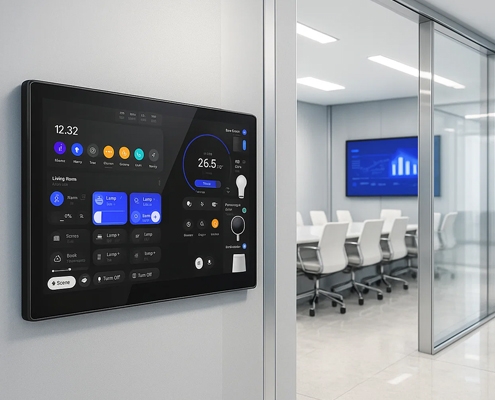
To truly make the most of your smart display, it’s important to customize it to fit your family's unique needs. Here are a few steps to get started:
-
Set Up Shared Calendars and To-Do Lists
Add shared family calendars to your smart display so that everyone can see important dates, appointments, and events. Sync to-do lists for tasks that need to be done, such as grocery shopping or cleaning, to keep everyone on the same page. These features help ensure that the family stays organized and that nothing important slips through the cracks. -
Create Personalized Routines
Set up routines for your family members based on time of day or activities. For example, create a “Good Morning” routine that automatically adjusts the thermostat, turns on the lights, and plays music when you wake up. Or set a “Movie Night” routine to dim the lights and open the blinds. These personalized routines help create a seamless experience and make your home more efficient. -
Secure Your Display with Family-Friendly Settings
Many smart displays come with parental controls to restrict access to certain apps or settings. This is particularly useful for families with younger children. You can set up child-friendly modes that limit access to age-appropriate content and keep any sensitive data secure. -
Connect All Your Smart Devices
Ensure that all your smart devices are compatible with the smart display. This includes things like lighting, thermostats, cameras, smart locks, and kitchen appliances. Once connected, you’ll have full control over all your devices, whether through touch or voice commands.
Smart Care Panel: The Ultimate Healthcare Solution
What is a POS Digital Signage Display?
Top Quality KNX Smart Control Panels: Revolutionizing Building Automation
Why the Android Smart Control Panel Guarantees Maximum Device Compatibility
Why Integrators Are Prioritizing Highly Customizable Smart Control Panels
Leveraging Smart Control Panels for Real-Time Equipment Diagnostics
HMI Smart Control Panels as the Nerve Center of Industry 4.0
What is a Custom OEM/ODM Panel?
Making the Smart Display Your Central Family & Automation Hub
How Smart Panel Manufacturers are Future-Proofing Home Automation
Industrial HMI Selection Guide: How to Choose the Most Suitable Smart Control Solution
MT8788 and Smart Home Control Panels
How the Health Control Screen Manages Air Quality and Temperature
Smart Panels for Hospital Patient Room Control
Best OEM/ODM Smart Home Control Panels 2025
Smart Home Touch Screen Panels: Android and Linux Integration
4” Smart Control Panel Manufacturer ,Supplier and Factory
Portworld Smart Home Panel Introduction
KNX/Zigbee/Matter Protocol Smart Control Panel Manufacturer
Best Smart Control Panel Manufacturer in China
 French
 English
 Arabic
 Spanish
 Portuguese
 Deutsch
 Turkish
 Dutch
Dutch
 Italiano
 Russian
 Romaian
 Portuguese (Brazil)
 Greek
Greek
