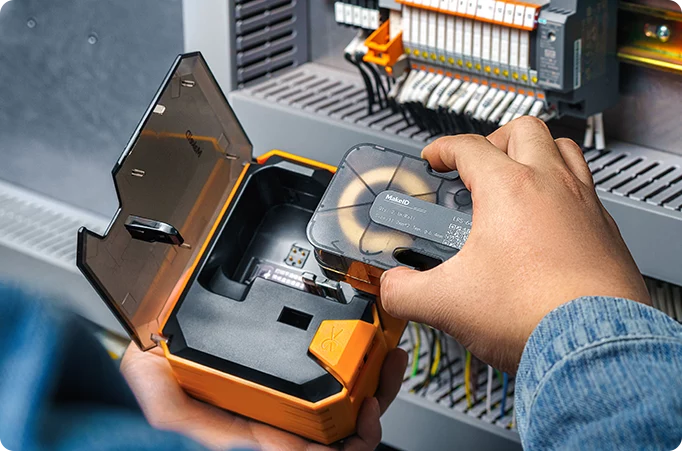
MakeID label printers, trusted in industries like telecom, healthcare, and finance for their portability and reliability, often face frequent offline issues that disrupt workflows. This problem essentially stems from communication failures between the printer and connected devices. Below is a targeted guide to diagnose and resolve offline problems for MakeID models.
Loose or faulty connections are the primary cause of frequent offline status in MakeID printers, whether using wired or wireless setups.
- Wired Connection Issues: For USB-connected models like the GP52, check if the USB cable is firmly plugged into both the printer and computer—damaged cables often cause intermittent disconnections, so replace with a certified MakeID cable if needed. Ensure the USB port is functional by testing with other devices.
- Wireless Connection Flaws: Wireless models such as the W110 are prone to signal issues. If the printer is far from the router or blocked by metal objects, signal attenuation causes offline drops . Confirm it connects to the correct Wi-Fi (match SSID with your device) and re-enter the password if it was recently changed. Avoid placing it near microwaves or other wireless devices to reduce interference.
Outdated or corrupted drivers disrupt communication between your device and MakeID printer, leading to repeated offline status.
- Driver Anomalies: Old drivers may conflict with updated operating systems. Uninstall existing drivers first, then download the latest version for your specific model (e.g., "MakeID GP70 Driver") from the official website . Restart both devices after reinstallation to ensure compatibility.
- Firmware Gaps: Neglected firmware updates can cause stability issues. Check MakeID’s support page for firmware patches—for example, some GP series printers require updates to fix wireless module glitches that trigger offline states . Follow the official guide to install updates without interrupting power.
Incorrect software settings or stopped background services often force MakeID printers offline unexpectedly.
- Print Spooler Service Failure: The Windows Print Spooler service manages print tasks—if it stops, the printer loses communication. Open "Services" on your computer, find "Print Spooler," and restart it. Set its startup type to "Automatic" to prevent future stops .
- Misconfigured Settings: Accidentally enabling "Use Printer Offline" in your computer’s printer properties will force offline status. Uncheck this option in the MakeID printer’s settings. Also, ensure your MakeID model is set as the default printer to avoid system misrecognition.
Printer malfunctions or consumable issues can indirectly cause offline status, especially in high-usage scenarios.
- Hardware Faults: Internal issues like faulty network modules or control boards disrupt connections. If the printer shows error codes (e.g., flashing lights), refer to the MakeID manual—paper jams or overheating may trigger protective offline modes . Turn it off, clear jams gently, and let it cool before restarting.
- Consumable Alerts: Empty label rolls or misaligned thermal heads sometimes trigger offline status as a safety measure. Ensure labels match your model’s specifications (e.g., 25mm-width for W110) and clean the thermal head with alcohol wipes to remove residue .
If issues persist after these steps, contact MakeID’s after-sales team with your printer model and fault details. Regularly updating drivers, optimizing placement, and using genuine consumables will significantly reduce offline occurrences, ensuring the reliability MakeID is known for.



 Ban & Monetization Policy
 MyLiveRoom Rewards Program Rules & Eligibility
 Greek
Greek

 English
 Arabic
 French
 Spanish
 Portuguese
 Deutsch
 Turkish
 Dutch
Dutch
 Italiano
 Russian
 Romaian
 Portuguese (Brazil)