


 Ban & Monetization Policy
 MyLiveRoom Rewards Program Rules & Eligibility
How to Use Bunny Lock in Growtopia Events
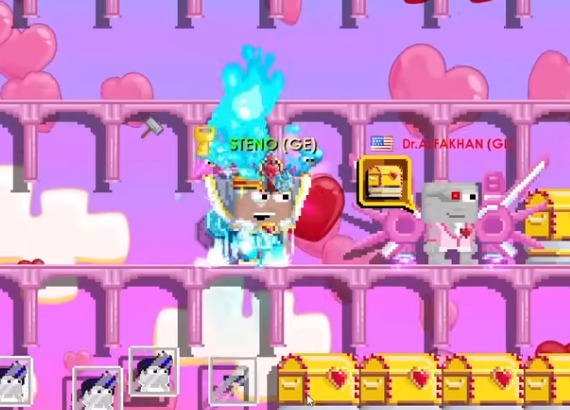
If you’ve been playing Growtopia for a while, you’ve probably seen Bunny Locks being used during Easter events or in worlds where players want to create fun, temporary access systems. While they’re not the most common lock type, Bunny Locks can be extremely useful when you want controlled entry, timed access, or simple event-based mechanics. In this guide, I’ll walk you through how Bunny Locks work, how players typically use them during events, and a few tips from personal experience that can help you avoid common mistakes.
What Makes Bunny Lock Special
A Bunny Lock is a unique event-style lock that allows you to create a special kind of gatekeeping system in your world. Instead of offering full access control like a World Lock or giving you all the customization options of a more advanced lock, Bunny Locks are more about event functionality and interaction. During seasonal Growtopia events, players use them to manage traffic, set up mini-games, or guide visitors along a specific flow.
The lock has a built-in toggle system that lets you set conditions for players to enter certain areas. It works great for temporary setups because you can quickly enable or disable access without needing anything too complicated. If you’ve ever hosted a public event and struggled with random players blocking paths or entering prize rooms too early, you’ll understand why this kind of simple, controlled access is so useful.
Recommended Ways to Use Bunny Lock in Events
The most common use of Bunny Locks is to control event flow. For example, if you are running an Easter-themed mini-game where players need to complete challenges in the correct order, a Bunny Lock can act as your checkpoint gate. Just place it before each section and toggle it depending on whether the player is ready to move forward.
Another popular use is for prize rooms. A lot of players like setting up giveaways during seasonal events, but uncontrolled access can turn these into complete chaos. A Bunny Lock solves this by creating a single entrance point that you can open and close manually. From my own experience hosting events, this little lock saved me tons of trouble and kept things organized.
Some players also use Bunny Locks to manage temporary VIP areas. It’s not as secure as a dedicated world lock setup, but it works surprisingly well for short-term gatherings or group activities. If your world is already filled with structures and decoration, adding a Bunny Lock is quick and convenient.
Setting Up a Bunny Lock Step by Step
Using the lock is pretty straightforward, even if you’re still relatively new to the building side of Growtopia. Here’s the simple setup:
-
Place the Bunny Lock on the ground.
-
Punch it to open the settings menu.
-
Choose whether you want the lock to allow or block entry.
-
Adjust access rules if you want temporary or conditional access.
-
Test it with an alternate account or a friend to make sure it works.
One thing I’ve learned from experience is to test everything before letting players into your world. Even a simple mistake, like placing the lock one tile too high, can break the entire flow of your event.
When You Might Consider Normal Locks Instead
Bunny Locks are great, but they’re still limited. For events that require long-term security or strict protection, you may want a more stable locking system. In that case, some players turn to buy Growtopia Locks to build a more complex world structure. Normal locks offer more flexibility, better access control options, and long-term reliability. I use Bunny Locks only for temporary setups and swap to stronger locks for anything permanent.
Trading and Preparing for Event Seasons
Event seasons always bring demand spikes for decorative items, access systems, and lock-related tools. Before Easter or other big events arrive, many traders stock up to resell for profit when the event hype peaks. If you’re someone who likes preparing ahead of time, it’s worth keeping an eye out for Growtopia Locks for sale in player markets. They can be useful if you’re hosting multiple event worlds or planning bigger builds.
Preparing materials early not only saves you gems but also helps you avoid the rush. I’ve seen event hosts scrambling on the first day because they didn’t expect the sudden need for locks, props, and access items. Planning ahead always pays off.
Extra Tips for Using Bunny Locks Smoothly
Here are a few easy but helpful tips I wish I knew earlier:
Keep the area around your Bunny Lock clear. Decorations might block interaction or confuse new players.
Don’t rely on only one lock when running high-traffic events. Multiple checkpoints keep things organized.
If you’re collaborating with friends, set clear roles. One person controlling the Bunny Lock, another managing prizes, and another watching for trolls makes everything run smoother.
A lot of players during event season look for convenience, and sometimes communities like U4GM get mentioned among traders for their role in the marketplace. It doesn’t directly affect how Bunny Locks work, but being aware of where players trade or gather helps you understand market flow during events.
Bunny Locks are one of those Growtopia items that seem simple at first but become surprisingly useful once you start hosting events. They help keep worlds organized, guide players through activities, and give you an easy way to manage entry without overcomplicating your setup. Whether you’re hosting a mini-game, managing a seasonal giveaway, or just experimenting with world mechanics, Bunny Locks can make your event smoother and more enjoyable for everyone.
 Greek
Greek
 English
 Arabic
 French
 Spanish
 Portuguese
 Deutsch
 Turkish
 Dutch
Dutch
 Italiano
 Russian
 Romaian
 Portuguese (Brazil)
