


 Ban & Monetization Policy
 MyLiveRoom Rewards Program Rules & Eligibility
What Should I Do If My NFC Business Card Is Lost?
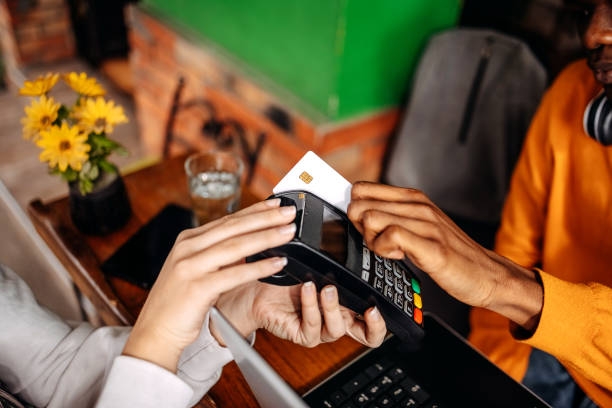
You reach into your wallet, your jacket pocket, your laptop bag — nothing. Your NFC business card is gone. Whether it slipped out at a networking event, got left behind at a coffee shop, or simply vanished into the mysterious void where important things disappear, that sinking feeling is very real. And unlike a regular paper card, an NFC business card carries something more valuable than just your name and phone number — it carries a live digital link to your professional identity.
The good news? Losing an NFC business card doesn't have to be a disaster. In fact, the very technology that makes these smart cards so powerful also gives you tools to manage, protect, and recover from exactly this situation. Here's everything you need to know.
Understanding What's Actually at Risk
Before you panic, it helps to understand what an NFC business card actually does. Near Field Communication (NFC) chips embedded in these cards store a URL or contact payload that is triggered when someone taps the card to an NFC-enabled smartphone. The card itself is just a bridge — it redirects the reader to your digital profile, landing page, or vCard file hosted on a platform like Blinq, HiHello, Mobilo, or Linq.
So what's at risk when the card is lost? Primarily, it's the possibility that someone could tap your card and interact with your profile in a way you didn't intend. For most professionals, this is a minor inconvenience rather than a true security threat. However, knowing the type of information your card points to will help you decide how urgently you need to act.
Step One: Don't Panic — Act Quickly Instead
The first and most important step is to stay calm and act fast. Log in to whatever NFC card management platform you used — whether that's Mobilo, Blinq, HiHello, Dot Cards, or a custom solution — and check your account dashboard immediately. Most modern NFC card platforms give you real-time control over the content your card links to, even after the card has left your hands.
Speed matters here not because your card is a security crisis, but because you want to maintain control over your professional narrative. Waiting too long means someone could tap the card and reach outdated information, a deactivated profile, or worse, no page at all if your account lapses.
Step Two: Remotely Update or Disable the Linked Profile
This is where the real advantage of digital NFC business cards shines over traditional paper ones. Unlike a paper business card, which is forever frozen in the moment it was printed, an NFC card's destination can be changed remotely at any time.
Log in to your dashboard and do one of the following depending on how you feel about the loss:
If you think you'll find the card: Simply update your profile to a temporary holding page or keep your existing profile live. No harm done yet — the card is still doing its job.
If you believe it's gone for good: Deactivate the specific card's link or redirect it to a neutral page. Platforms like Mobilo allow you to assign individual cards to profiles and deactivate them independently, which means your other cards or digital channels remain completely unaffected.
This remote management capability is one of the most underrated features of smart NFC cards, and it's precisely the reason savvy professionals choose them over static paper alternatives.
Step Three: Check for Unauthorized Activity
After securing your profile, take a moment to review your card's analytics. Most NFC card platforms — including Blinq, HiHello, and Mobilo — provide tap analytics that show when and roughly where your card has been scanned. If you see a sudden cluster of taps in a location you don't recognize, it's a signal that your card may have been found and is being shared.
This data isn't just useful for damage control — it's also helpful for understanding whether you simply misplaced the card locally or whether it has traveled somewhere else. If taps stop entirely after your last known location, the card may just be sitting quietly in a lost and found somewhere nearby.
Step Four: Notify Your Contacts if Necessary
Depending on the nature of your NFC card's linked content, you may want to send a brief message to your key contacts. This step is entirely optional and mostly applies if your card linked to a specific form, booking page, or email address that you plan to change.
A short, professional note — via LinkedIn, email, or even a WhatsApp message — is enough. Something simple like: "Just a heads up, I recently updated my contact card. Here's my latest profile link." You don't need to mention the lost card at all unless you want to. Keeping it light and forward-facing maintains your professional image and gives you a great excuse to re-engage with your network at the same time.
Step Five: Order a Replacement Card
Once you've handled the immediate digital fallout, it's time to get a new card in your hands. The process is usually quick and painless. Most NFC business card providers like Mobilo, Popl, or Dot Cards offer fast reorder options through your existing account. Since your profile information is stored digitally in the cloud, you don't need to re-enter anything — just order a new card and link it to your existing profile.
When reordering, it's also a smart moment to consider whether you want to upgrade your card format. Options today include metal NFC cards, bamboo NFC cards, and PVC plastic cards — all of which can be linked to the same digital profile you've already been using. Some professionals also order two or three cards at once as backups, keeping one at home and one in the office just in case.
Step Six: Strengthen Your NFC Card Security Going Forward
Losing a card once is an opportunity to build better habits. Going forward, there are several strategies to reduce both the risk and the impact of future losses.
Use individual card-to-profile mapping. Platforms like Mobilo allow you to assign unique cards to unique profiles or team members. This means each card has its own identity, and deactivating one won't affect the others.
Enable profile password protection. Some NFC card platforms allow you to add a PIN or access restriction to the landing page your card points to. This is especially useful if your profile contains sensitive contact or scheduling information.
Regularly audit your tap analytics. Building a habit of checking your dashboard monthly gives you an early warning system for lost or misplaced cards. An unexpected spike in taps from an unfamiliar location is often your first clue.
Add a card to your Apple Wallet or Google Wallet as a digital backup. Many NFC card providers now offer a digital version of your card that lives in your phone's wallet. This ensures you're never completely without a way to share your contact information, even if your physical card goes missing.
Step Seven: Consider What Your Card Should (and Shouldn't) Link To
A lost card is also a valuable prompt to revisit what information your NFC card actually shares. Some professionals link their cards directly to LinkedIn profiles, personal websites, or Linktree pages. Others connect theirs to a dedicated landing page through platforms like Blinq or HiHello, which they control entirely.
If your card links to a social media platform you don't fully control, a data breach on that platform could affect your professional contact information. Instead, consider linking to a dedicated, platform-independent landing page that you own. That way, even if your card is lost and tapped by a stranger, the information they see is exactly what you want them to see — nothing more.
A Quick Note on NFC Card vs. QR Code Backups
Many modern NFC business cards also include a QR code on the back as a fallback for older devices that don't support NFC tapping. If your lost card had a QR code, keep in mind that QR codes cannot be deactivated remotely — once printed, they are permanent. This is another reason why your linked destination should always be a manageable digital page rather than a hardcoded email address or phone number. If your QR code still circulates after your card is gone, it will at least redirect to your current, updated profile rather than stale information.
FAQ: Lost NFC Business Cards — Your Questions Answered
Q: Can someone misuse my NFC business card if they find it? A: For most standard NFC cards, the risk is very low. The card simply links to your professional profile — the same information you'd give anyone at a networking event. However, if your profile contained a booking link, payment page, or any form with personal data, log in and update or restrict that content immediately.
Q: Will losing my NFC card affect my other cards or team members' cards? A: Not if your platform supports individual card-to-profile mapping. Platforms like Mobilo and Blinq allow each physical card to be managed independently. Deactivating one card will not affect others linked to the same account.
Q: How quickly can I get a replacement NFC card? A: Most major NFC card providers offer standard shipping within 5–7 business days, with expedited options available. Since your data is already stored in the cloud, your new card can be linked to your existing profile immediately upon arrival — no reprinting of information required.
Q: What if my NFC card isn't connected to any cloud platform — can I still deactivate it? A: Unfortunately, standalone NFC cards with hardcoded contact data (like a simple vCard written directly to the chip) cannot be deactivated remotely. This is one of the key reasons professionals are advised to use platform-connected NFC cards rather than self-written chips.
Q: Should I report a lost NFC business card to anyone? A: In most cases, no formal report is necessary. However, if your card was linked to a corporate account with sensitive company information, inform your IT department or marketing team so they can deactivate the card from the company's side and issue a replacement.
Q: Is it worth getting NFC card insurance or a protection plan? A: Some premium NFC card providers include free replacement programs or protection plans with their subscription packages. If you travel frequently or attend many events, it's worth checking whether your provider offers this — it can save you money on reorder fees over time.
Q: How do I prevent losing my NFC card again in the future? A: Keep your card in a dedicated cardholder rather than loose in a pocket or bag. Consider ordering two cards — one as your primary and one as a backup. You can also keep your digital NFC card active in Apple Wallet or Google Wallet as a permanent fallback that's always with you.
 Deutsch
 English
 Arabic
 French
 Spanish
 Portuguese
 Turkish
 Dutch
Dutch
 Italiano
 Russian
 Romaian
 Portuguese (Brazil)
 Greek
Greek
