


 Ban & Monetization Policy
 MyLiveRoom Rewards Program Rules & Eligibility
Compare Two Columns in Excel: Complete Step-by-Step Guide
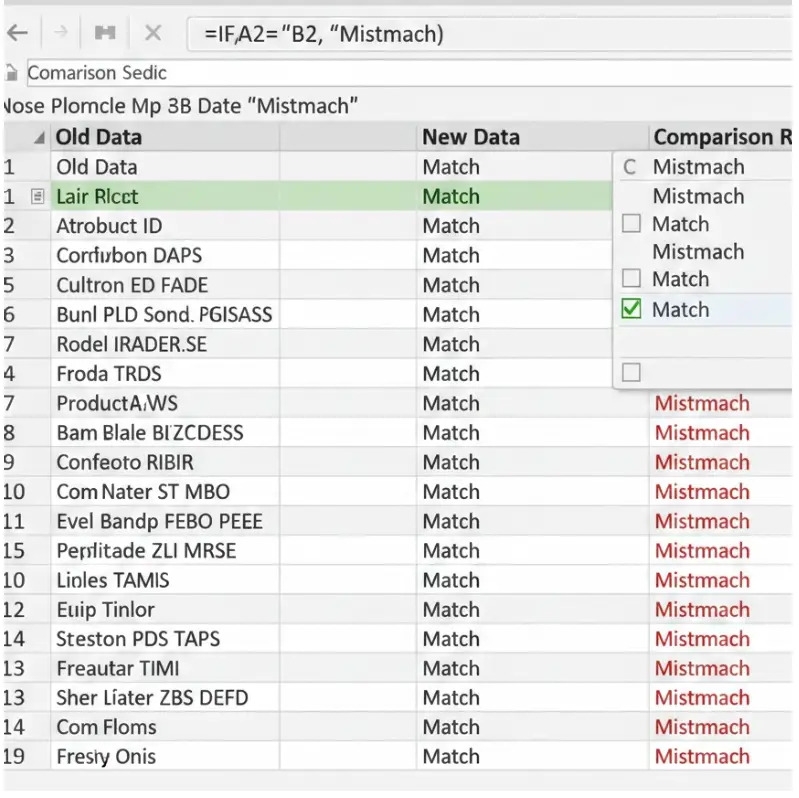
Compare Two Columns in Excel is one of the most common tasks users perform when working with data lists, reports, or records. Whether you are checking for duplicates, identifying mismatched values, or validating data accuracy, Excel provides multiple simple and advanced ways to compare columns efficiently.
Excel allows you to compare two columns using formulas, conditional formatting, and built-in tools, making it suitable for both beginners and advanced users.
Why Comparing Two Columns in Excel Is Important
Comparing two columns helps ensure data consistency and accuracy. It is commonly used to find missing entries, verify records between two lists, identify duplicates, and clean datasets before analysis or reporting. This process is essential in accounting, inventory management, data migration, and reporting tasks.
Compare Two Columns Using the IF Formula
One of the easiest ways to compare two columns in Excel is by using the IF function. When data is aligned row by row, this method works perfectly.
The IF formula checks whether the values in two cells are equal and returns a result based on the condition. This method is ideal for quick comparisons when both columns contain corresponding data.
Compare Two Columns to Find Matching Values
When you need to check whether values from one column exist anywhere in another column, Excel formulas like COUNTIF are extremely useful. This method is helpful when working with unordered lists where row positions do not match.
It allows Excel to scan the entire column and confirm whether a value exists, making it easy to identify missing or unmatched data.
Highlight Differences Using Conditional Formatting
Conditional formatting provides a visual way to compare two columns in Excel. Instead of returning text results, Excel highlights cells that do not match.
This method is especially useful for large datasets, as it helps you instantly spot differences without using extra columns or formulas. Conditional formatting makes data comparison faster and more intuitive.
Compare Two Columns Using VLOOKUP or XLOOKUP
Lookup functions are widely used to compare two columns when data is stored in different ranges or sheets. VLOOKUP is useful for older Excel versions, while XLOOKUP offers more flexibility and accuracy in newer versions.
These functions help determine whether a value exists in another column and can return results such as matched values or custom messages for missing entries.
Advanced Comparison Using Power Query
For large or complex datasets, Power Query is one of the most powerful tools in Excel. It allows you to merge two columns or tables and compare them using different join types.
Power Query is ideal when dealing with thousands of records, repeated comparisons, or data imported from external sources such as databases or CSV files.
Best Practices for Comparing Two Columns in Excel
Before comparing columns, ensure that data formats are consistent. Extra spaces, different text cases, or number formatting issues can affect comparison results. Cleaning data before comparison improves accuracy and reduces errors.
Choosing the right comparison method depends on your goal. Simple formulas work best for small datasets, while conditional formatting and Power Query are better for large or visual comparisons.
Conclusion
Comparing columns is a fundamental Excel skill that improves data accuracy and productivity. By using formulas, conditional formatting, lookup functions, or Power Query, you can easily identify matches and differences in your data.
For a detailed walkthrough with examples and screenshots, refer to Compare Two Columns in Excel and explore more Excel tutorials on the Budget Excel homepage to enhance your Excel skills further.
 Italiano
 English
 Arabic
 French
 Spanish
 Portuguese
 Deutsch
 Turkish
 Dutch
Dutch
 Russian
 Romaian
 Portuguese (Brazil)
 Greek
Greek
