


 Ban & Monetization Policy
 MyLiveRoom Rewards Program Rules & Eligibility
What is an NAV Finder in Mutual Fund Software?
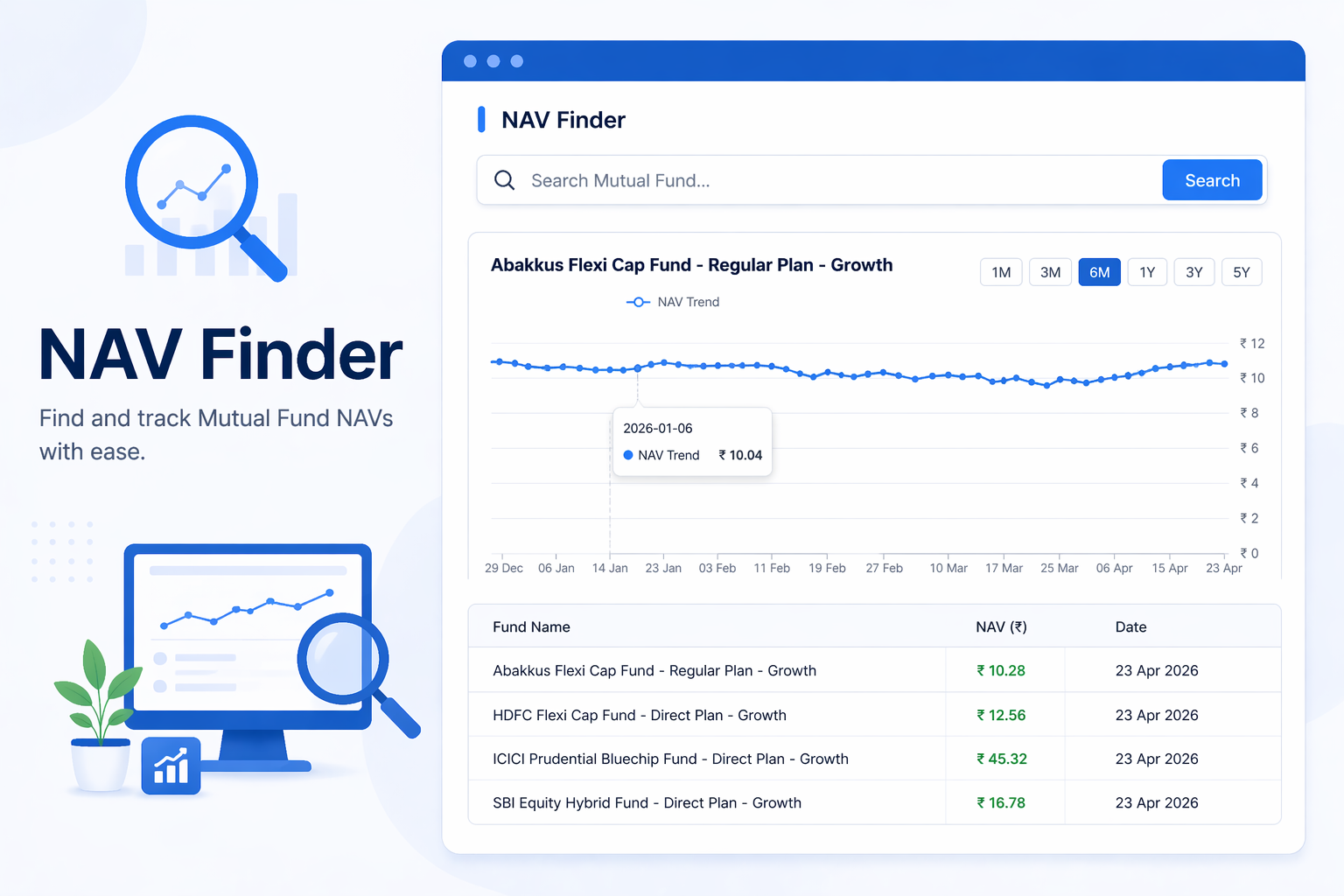
For any Mutual Fund Distributor (MFD), tracking scheme performance is part of daily work. Whether it’s for portfolio reviews, client discussions, or research, one data point that comes up repeatedly is NAV (Net Asset Value).
But checking NAV manually across different schemes, dates, and fund categories can be time-consuming.
This is where an NAV Finder in mutual fund software becomes useful. It allows MFDs to search, filter, and analyze NAV data across schemes, categories, and time periods — all from one place.
Why NAV Tracking Matters for MFDs
NAV is the base value of a mutual fund scheme. It helps in:
● understanding scheme performance
● comparing funds across categories
● tracking historical movement
● supporting client discussions
While MFDs already understand NAV, the challenge is not knowledge — it is accessing the right NAV data quickly when needed.
What is an NAV Finder?
An NAV Finder is a tool inside mutual fund software for IFA that helps MFDs:
● search for schemes
● filter based on asset categories
● select specific time periods
● view NAV trends
Instead of checking multiple sources, everything is available in one structured interface.
How To Filter NAV by Asset Category?
One of the biggest advantages of an NAV Finder is category-based filtering. MFDs can select from multiple asset classes such as:
Equity Funds
● Large Cap, Mid Cap, Small Cap
● Flexi Cap, Multi Cap
● ELSS, Sectoral/Thematic
● Focused, Value, Dividend Yield
Debt Funds
● Liquid, Overnight, Ultra Short
● Corporate Bond, Gilt
● Short Duration, Long Duration
● Credit Risk, Banking & PSU
Hybrid Funds
● Aggressive Hybrid
● Conservative Hybrid
● Balanced Advantage
● Arbitrage
● Multi Asset Allocation
Other Categories
● Gold ETFs
● Index Funds / ETFs
● Fund of Funds (Domestic & Overseas)
● Retirement and Children’s Funds
This makes it easier to narrow down and analyze NAVs based on specific investment segments.
How To Search Specific Schemes Easily?
Instead of scrolling through long lists, MFDs can directly:
● search for a scheme by name
● filter based on fund house (AMC)
● quickly locate relevant schemes
This saves time, especially during client discussions or research.
View NAV Between Custom Dates
Another key feature is date-based filtering.
MFDs can:
● select a NAV start date
● select a NAV end date
This allows them to:
● track NAV movement over time
● analyze performance during specific periods
● support time-based comparisons
This is especially useful during:
● portfolio reviews
● market phase analysis
● performance discussions
Why This Tool is Useful in Daily Work
An NAV Finder is not just a research tool — it supports daily MFD activities such as:
● comparing schemes quickly
● preparing for client meetings
● validating performance trends
● answering investor queries
Instead of switching between platforms, MFDs can access all NAV-related data in one place.
Better Analysis, Faster Decisions
When NAV data is easily accessible:
● analysis becomes quicker
● comparisons become easier
● decisions become more informed
This helps MFDs move from manual checking to structured analysis.
Final Thoughts
For MFDs, the real value is not just in knowing NAV — but in accessing the right NAV data quickly and using it effectively during client interactions and portfolio analysis.
FAQs
1. What is an NAV Finder in mutual fund software?
An NAV Finder is a tool that helps MFDs search and analyze NAV data for mutual fund schemes based on categories, dates, and fund houses.
2. Can I filter NAV data by category?
Yes. You can filter NAV data across equity, debt, hybrid, and other categories to narrow down your analysis.
3. Can I check NAV for a specific time period?
Yes. The tool allows you to select a start and end date to view NAV movement during that period.
4. How does an NAV Finder help MFDs?
It helps MFDs quickly access NAV data, compare schemes, and support better client discussions without manual effort.
 English
 Arabic
 French
 Spanish
 Portuguese
 Deutsch
 Turkish
 Dutch
Dutch
 Italiano
 Russian
 Romaian
 Portuguese (Brazil)
 Greek
Greek
